Check Your Name in the Voter List (Ward #22)
Follow the steps below to check whether your name is included in the official voter list. This ensures you can vote on election day.
Step 1: Open the official voter search website
Visit the official Maharashtra Election Commission website using the link below.
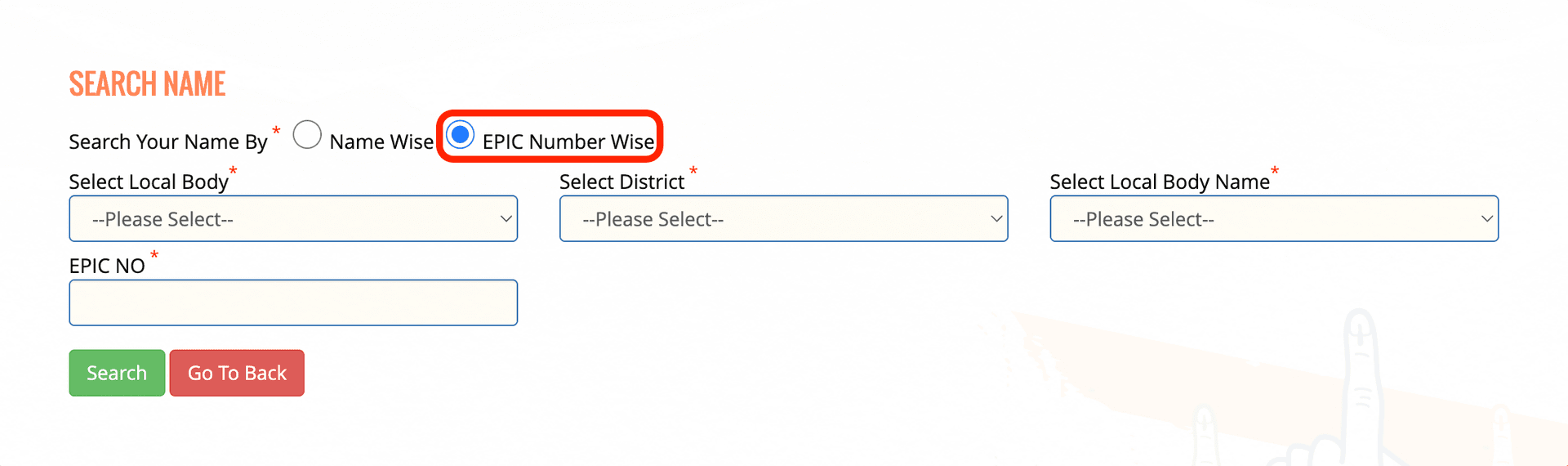
Open Voter List WebsiteStep 2: Search Your Name By
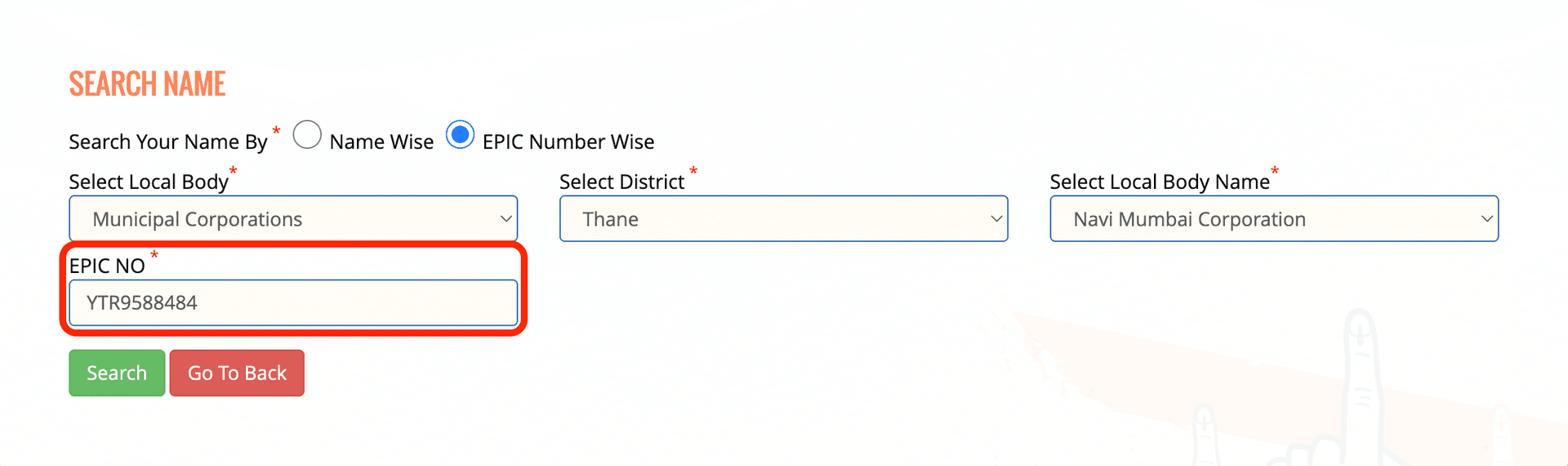
Pick the "EPIC Number Wise" option
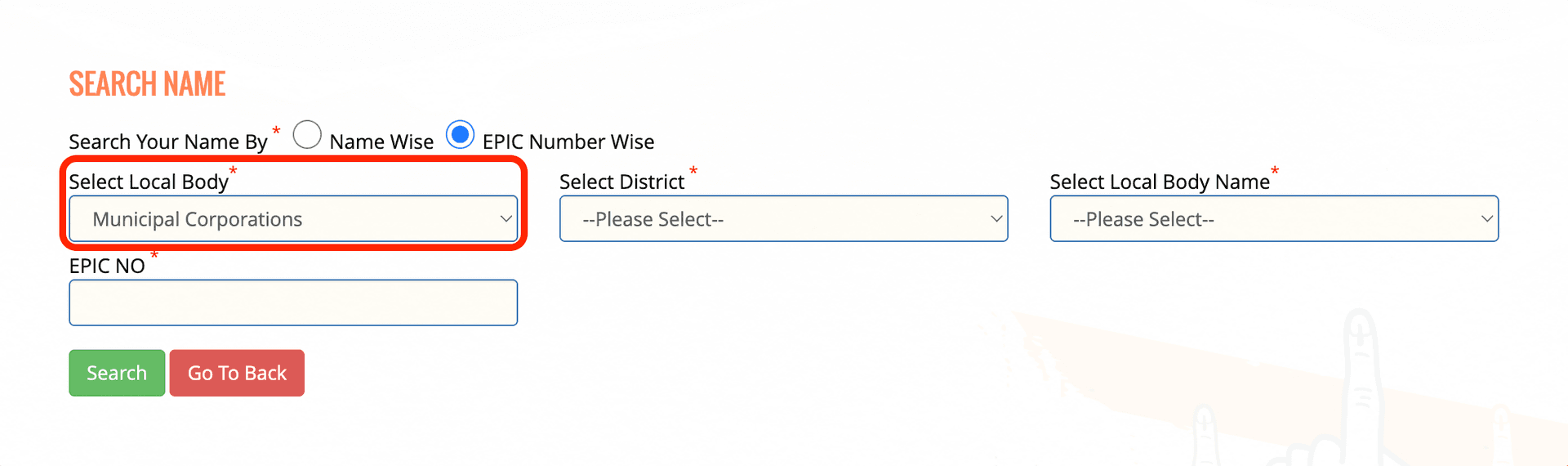
Step 3: Select Local Body Type
Pick the "Municipal Corporations" option
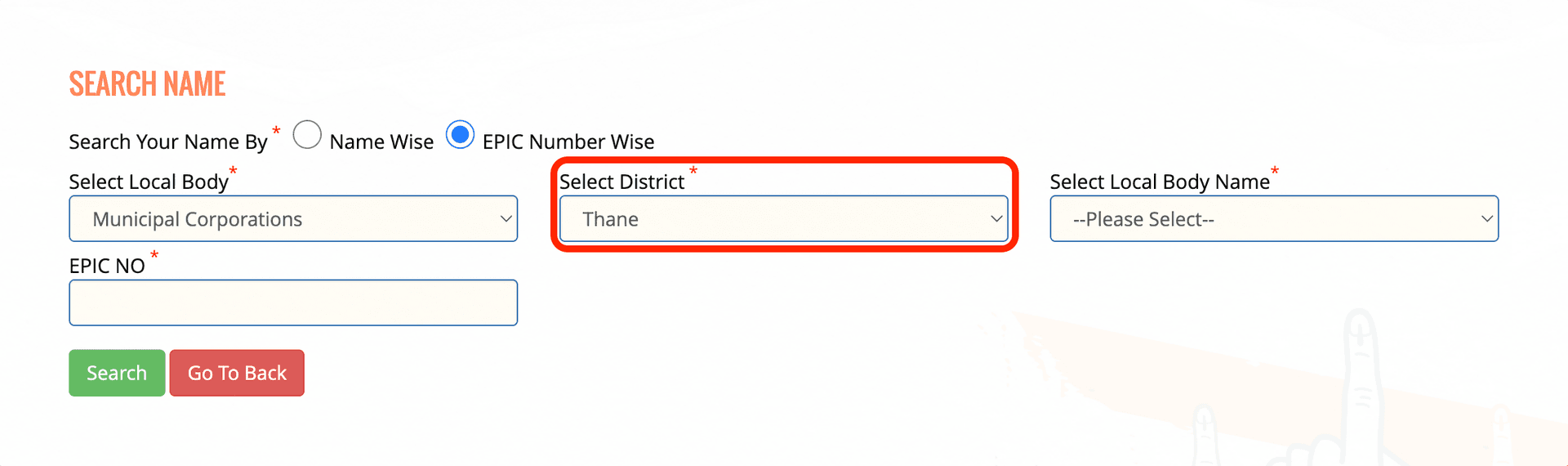
Step 4: Select District
Pick the "Thane" option
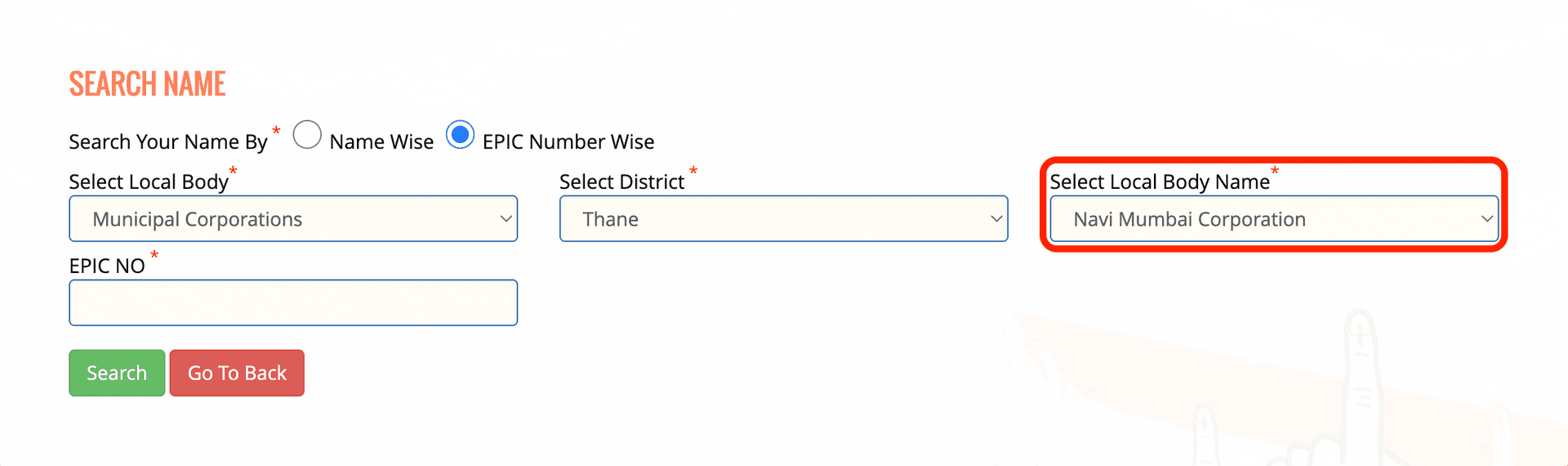
Step 5: Select Local Body Name
Pick the "Navi Mumbai Corporation" option
Step 6: Enter Your EPIC Number
Type the 10-digit alphanumeric number from your voter card in the “EPIC NO” field.
Step 7: View Your Voter Details
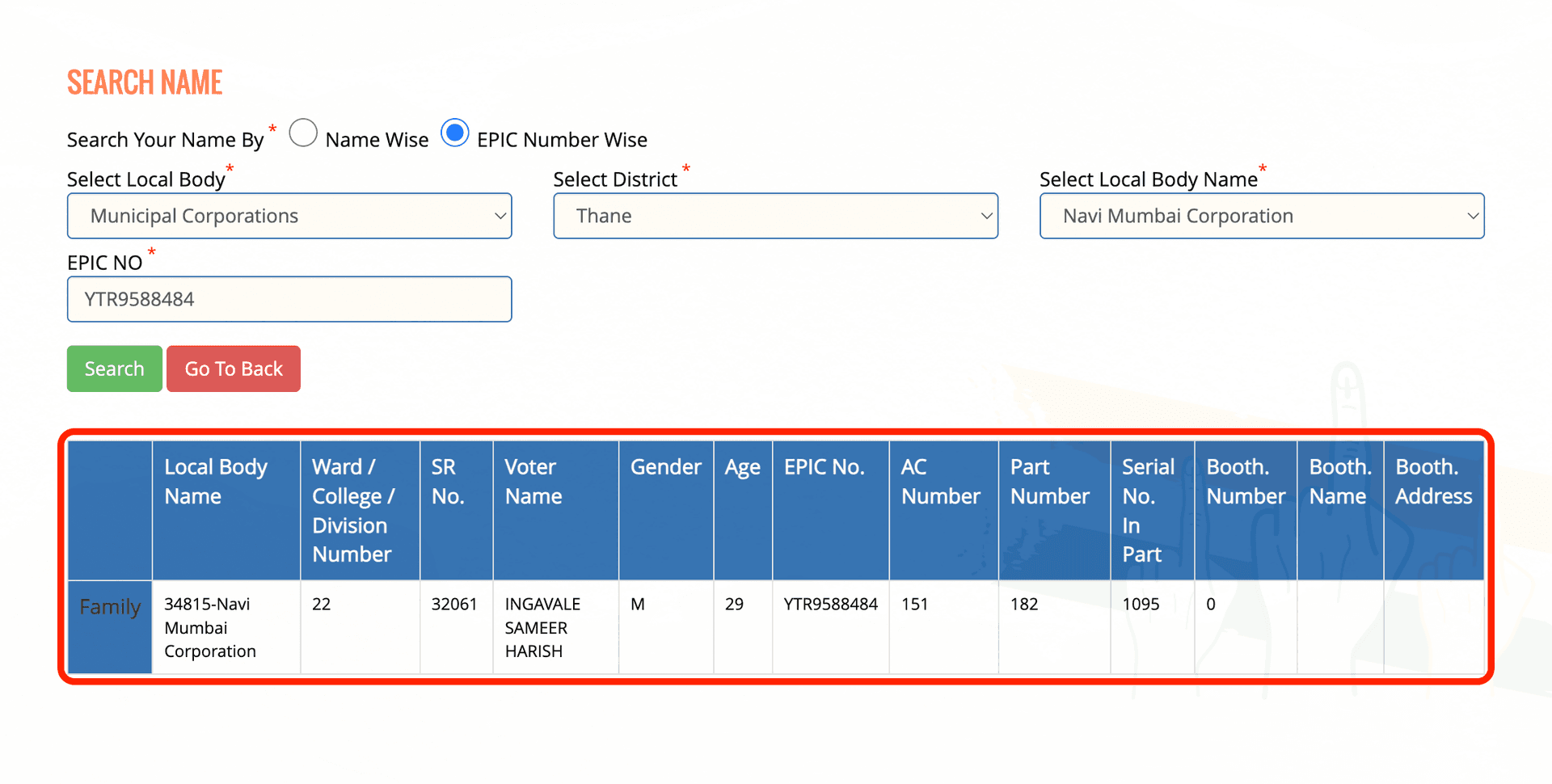
Wait a few moments while the website loads. Once found, your voter information and polling booth details will appear.
⚠️ If your name does not appear in the online search, you can refer to the complete, officially published voter list below for Ward 22.
View Ward #22 Final Voter List (PDF)